 13d6cf201f
The idea is that Integrated Loudness is an integral part
of the song, much like knowing it's beginning / ending
in the file, and we must handle it the exact same way,
and pipe it through all the way.

At the same time, `EngineBase` knows Target Level (from settings),
and these two combined tell us the Gain needed to normalize the
Loudness of the particular Song (`EngineBase::Load()` does that).
So the actual backend only needs to handle the Volume.

We don't currently support changing Target Level on the fly.
We don't currently support changing Loudness-normalizing Gain on the fly.

This does not handle the case when the song is loaded from URL
and thus the EBU R 128 measures, that exist, are not nessesairly correct.
🍓 Strawberry Music Player 



Strawberry is a music player and music collection organizer. It is a fork of Clementine released in 2018 aimed at music collectors and audiophiles. It's written in C++ using the Qt toolkit.
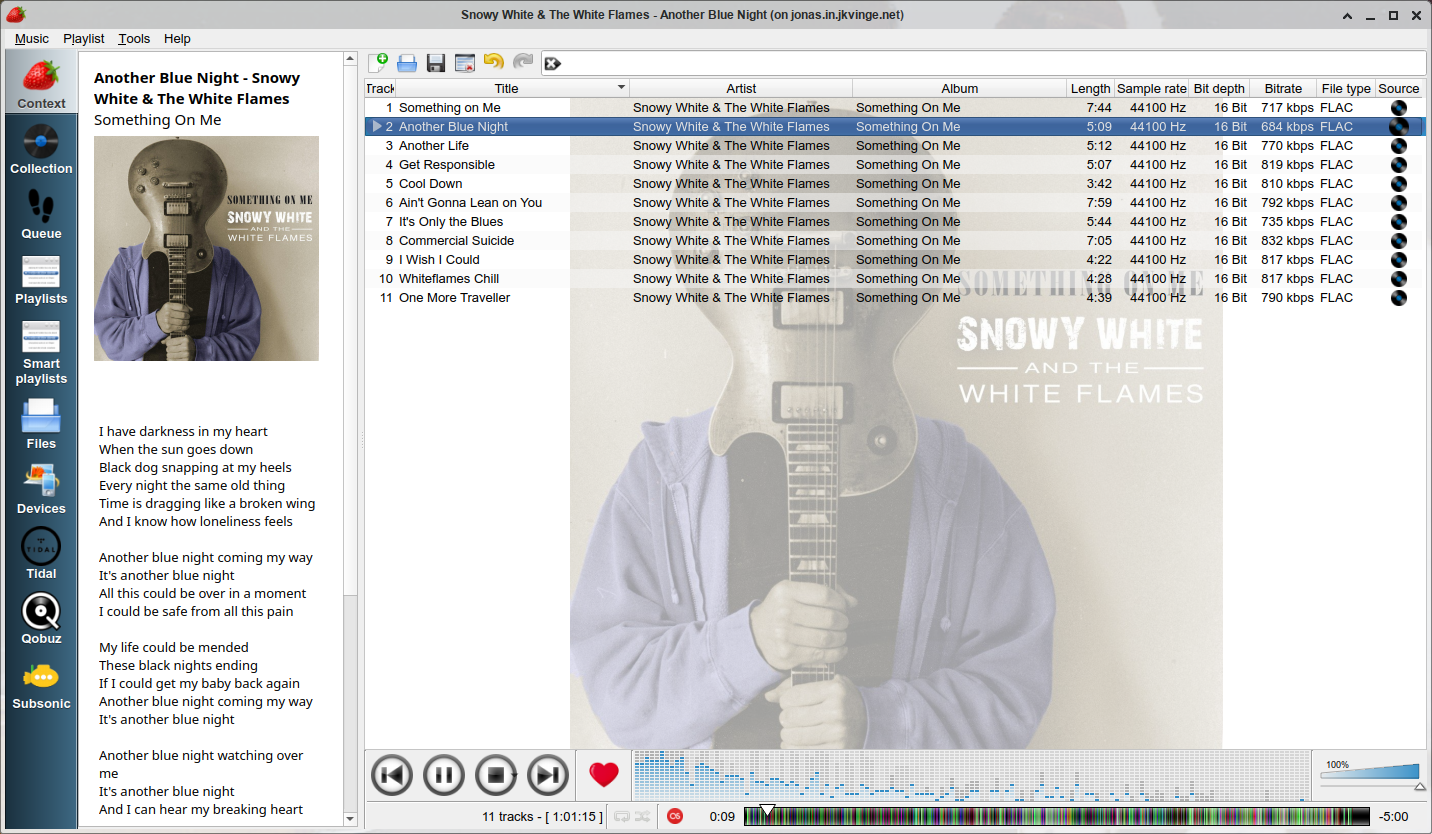
Resources:
- Website: https://www.strawberrymusicplayer.org/
- Wiki: https://wiki.strawberrymusicplayer.org/
- Forum: https://forum.strawberrymusicplayer.org/
- Github: https://github.com/strawberrymusicplayer/strawberry
- Buildbot: https://buildbot.strawberrymusicplayer.org/
- Latest builds: https://builds.strawberrymusicplayer.org/
- openSUSE buildservice: https://build.opensuse.org/package/show/home:jonaski:audio/strawberry
- Ubuntu PPA: https://launchpad.net/~jonaski/+archive/ubuntu/strawberry
- Ubuntu Unstable PPA: https://launchpad.net/~jonaski/+archive/ubuntu/strawberry-unstable
- Translations: https://translate.zanata.org/iteration/view/strawberry/master
‼️ Opening an issue:
- Read the FAQ: https://wiki.strawberrymusicplayer.org/wiki/FAQ
- Search for the issue to see if it is already solved, or if there is an open issue for it already. If there is an open issue already, you can comment on it if you have additional information that could be useful to us.
- For technical problems, discussion, questions and feature suggestions use the forum (https://forum.strawberrymusicplayer.org/) instead. The forum is better suited for discussion.
- We do not take feature requests from users on GitHub. Any issues related to feature requests will be closed. This does not necessarily mean that we won't add new features, but we don't have time to take feature requests or answer questions about new features from users. It is still possible to suggest or discuss new features on the forum (https://forum.strawberrymusicplayer.org/).
💰 Sponsoring:
The program is free software, released under GPL. If you like this program and can make use of it, consider sponsoring or donating to help fund the project. There are currently 3 options for sponsoring:
Funding developers is a way to contribute to open source projects you appreciate, it helps developers get the resources they need, and recognize contributors working behind the scenes to make open source better for everyone.
✔️ Features:
- Play and organize music
- Supports WAV, FLAC, WavPack, Ogg FLAC, Ogg Vorbis, Ogg Opus, Ogg Speex, MPC, TrueAudio, AIFF, MP4, MP3, ASF and Monkey's Audio.
- Audio CD playback
- Native desktop notifications
- Playlist management
- Smart and dynamic playlists
- Advanced audio output and device configuration for bit-perfect playback on Linux
- Edit tags on audio files
- Fetch tags from MusicBrainz
- Album cover art from Last.fm, Musicbrainz, Discogs, Musixmatch, Deezer, Tidal, Qobuz and Spotify
- Song lyrics from Lyrics.com, Genius, Musixmatch, ChartLyrics, lyrics.ovh and lololyrics.com
- Support for multiple backends
- Audio analyzer
- Audio equalizer
- Transfer music to mass-storage USB players, MTP compatible devices and iPod Nano/Classic
- Scrobbler with support for Last.fm, Libre.fm and ListenBrainz
- Subsonic, Tidal and Qobuz streaming support
It has so far been tested to work on Linux, OpenBSD, FreeBSD, macOS and Windows.
There currently isn't any macOS developers actively working on this project, so we might not be able to help you with issues related to macOS.
❗ Requirements
To build Strawberry from source you need the following installed on your system with the additional development packages/headers:
- CMake
- C/C++ compiler (GCC, Clang or MSVC)
- pkg-config or pkgconf
- Boost
- GLib
- Qt 6 or Qt 5.12 or higher with components Core, Gui, Widgets, Concurrent, Network and Sql
- SQLite 3.9 or newer with FTS5
- Protobuf
- ALSA (Required on Linux)
- D-Bus (Required on Linux)
- GStreamer or VLC
- GnuTLS
- TagLib 1.11.1 or higher or TagParser
- ICU
Optional dependencies:
- Song fingerprinting and MusicBrainz tagging: Chromaprint
- Moodbar: fftw3
- PulseAudio integration: PulseAudio
- Audio CD: libcdio
- MTP devices: libmtp
- iPod Classic devices: libgpod
You should also install the gstreamer plugins base and good, and optionally bad, ugly and libav to support all audio formats.
🔧 Compiling from source
Get the code:
git clone https://github.com/strawberrymusicplayer/strawberry
Compile and install:
cd strawberry
mkdir build
cd build
cmake .. -DBUILD_WITH_QT6=ON
make -j $(nproc)
sudo make install
Strawberry is backwards compatible with Qt 5, to compile with Qt 5 use:
cmake .. -DBUILD_WITH_QT5=ON
To compile on Windows with Visual Studio 2019 or 2022, see https://github.com/strawberrymusicplayer/strawberry-msvc
🐧 Packaging status
